Our R&D, 2005
Mouse gesture recognition on Windows, in 2005.
An R&D project in C++ and MFC that recognised shapes drawn with the mouse, such as a line or a square. It turned raw movement into a short sequence of compass directions, smoothed out the wobble and matched the result against a library of gestures kept as data. A system-wide mouse hook, installed from a small DLL, laid the groundwork for using gestures across the whole desktop.
- Owner
- Our own R&D
- Industry
- Desktop software and human-computer interaction
- Services
- Gesture recognition, low-level Windows engineering
- Platforms
- Windows; C++, MFC and Win32 hooks
- Our role
- We designed and built the recogniser, the gesture file format, the hook DLL and the tray app.
The challenge
A gesture is a messy stream of mouse positions. Nobody draws the same square twice: the size changes, the speed changes, the corners are rounded and the lines wobble. To trigger something useful, software has to reduce that noise to something it can compare, and decide quickly which shape the person meant.
In 2005 there were no touchscreen phones teaching everyone to swipe, and no gesture libraries to download. If you wanted a computer to understand a drawn shape, you wrote the recogniser yourself, and you wanted it small and fast enough to run on every mouse move without anyone noticing.
Our approach
Rather than compare shapes pixel by pixel, we threw most of the information away on purpose. A square is four straight strokes in four directions; how big it is and how fast it was drawn don't matter. So the recogniser keeps only the direction of travel, cleans it up, and compares sequences of directions. The whole recogniser is a few hundred lines of C++.
What we built
From pixels to compass directions
On every mouse move during a drag, the recogniser works out the heading from the last position and snaps it to one of eight compass directions, each a 45° sector: north from 67.5° to 112.5°, north-east from 22.5° to 67.5°, and so on around the circle. Screen coordinates grow downwards, so the vertical difference is flipped before the angle is taken, and the angle runs from 0° to 360° so every heading lands in exactly one sector. A square drawn clockwise from the top-left becomes something like east, south, west, north.
Smoothing out the wobble
Raw headings jitter, especially at corners. When the stroke ends, the recogniser walks the recorded directions in windows of five samples and takes a majority vote in each, so one stray sample can't create a new direction. Repeats are then collapsed, because only changes of direction matter, not how far the mouse travelled.
Gestures as data
The gesture library is a plain text file: a name, the number of directions, then the directions themselves. Vertical lines, horizontal lines and a square were the first entries, with a vertical line listed once for each way it can be drawn. Adding a gesture needs no new code, just a few lines in the file.
Matching
When the button is released, the cleaned-up sequence is compared with each pattern in turn, in order, and the first match returns the gesture's name. The test window drew the stroke as it was made and showed the name of the recognised gesture, which made it easy to see why a stroke did or didn't match.
A hook for the whole desktop
To see the mouse outside our own window, the app installs a Windows low-level mouse hook from a small DLL. The DLL exports the hook procedure and forwards each event to a callback the app registers, so the logic lives in the app while Windows calls into the DLL. The app sits in the system tray, and the hook is removed cleanly when it closes. In this R&D build the hook caught a mouse button system-wide as a proof, while recognition ran on strokes drawn in the app's own window; joining the two was the next step.
Architecture
- Mouse movesPositions captured while the button is down
- HeadingsEach move snapped to one of eight 45° sectors
- SmoothingMajority vote over five samples, repeats collapsed
- MatchCompared in order with patterns from a data file
- ResultThe gesture's name, or no match
Results
- 8compass directions, 45° each, to describe any stroke
- 5samples per majority vote to smooth out jitter
- 0lines of code to add a gesture: it's data
Under the hood
Small, fast pattern matching, years before touchscreens made gestures normal.
- C++
- STL
- MFC
- Win32 low-level mouse hook
- DLL
- System tray app
- Direction quantisation
- Pattern matching
What it taught us
The idea carried forward. In 2011 our Kinect gesture engine recognised spells drawn in the air with the same direction-sequence approach, adding tolerance for extra directions and a mode for recording people's own versions of each shape. Later, in Spell Fighter, we put a trained neural network behind a drawn-glyph game.
The lesson is choosing the right representation. Throwing away size and speed made a hard problem simple and cheap enough to run on every mouse move. The same thinking decides how we feed sensors into models today, in computer vision and speech and on wearables and Edge AI, where every cycle and every milliwatt counts.
What we'd do now
How we'd build a gesture recogniser today.
- Start with the representation. Directions, resampled points or a small image: the choice of input shapes everything after it, so we'd prototype two before committing.
- Collect real examples early. A handful of people drawing each gesture reveals the corners, wobbles and reversed strokes no designer predicts.
- Use rules where they're enough. For a few distinct shapes, a direction matcher is small, explainable and needs no training data. We'd reach for a trained model when the set grows or the shapes get close.
- Measure accuracy, not impressions. Keep a test set of recorded gestures and track how often each is recognised, so every change to a threshold is judged on evidence.
Questions
How does direction-based gesture recognition work?
Each movement is reduced to one of eight compass directions, repeats are collapsed, and the resulting short sequence is compared with stored patterns. Size and drawing speed drop out.
Is this machine learning?
No. It's a hand-built rule-based recogniser. Later projects added recorded examples and, eventually, a trained neural network.
What is a low-level mouse hook?
A Windows mechanism that lets a program see mouse events system-wide, before they reach other applications. It must be passed on and removed carefully so the desktop stays responsive.
Related
The services behind this work, and more stories like it.
Services
Case studies
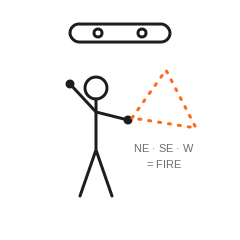
Our R&D, 2011Casting spells in the air. A Kinect gesture engine that turned arm movements into compass directions and matched them against shapes people had recorded.
Our R&DA neural network that reads drawn glyphs. Spell Fighter, a Unity prototype with our own glyph model running on the device.
Halfbrick Studios, 2001–2003Real-time 3D on 16.78 MHz. A Game Boy Advance 3D engine hand-written in ARM assembly, pitched to Activision, THQ and EA.
Bring us the hard problem.
A 45-minute discovery call with the engineer who'll build it.